
Discover the top 5 medical apps that are revolutionizing healthcare. These innovative applications are designed to empower patients, assist healthcare professionals, and enhance the overall healthcare experience. From symptom evaluation and medication management to medical education and telehealth services, these apps offer a range of features to cater to different healthcare needs.
As of my knowledge cutoff in September 2021, here are five popular medical apps that were widely used:Epocrates:
Epocrates is a widely used app among healthcare professionals. It provides drug information, including dosing, interactions, safety, and pricing. It also offers clinical practice guidelines, medical news, and a variety of calculators for healthcare professionals.
For iOS devices (iPhone, iPad): You can download the Epocrates app from the Apple App Store by visiting the following link: Download Epocrates for iOS
For Android devices: You can download the Epocrates app from the Google Play Store by visiting the following link: Download Epocrates for Android
Simply click on the respective link above, and it will redirect you to the appropriate app store page for Epocrates. From there, you can download and install the app on your device.
Here are the key details about the Epocrates app:
Drug Information: Epocrates is known for its extensive database of drug information. It provides healthcare professionals with up-to-date details on drug dosages, indications, contraindications, adverse reactions, interactions, and pricing. The app also includes pill identification features and allows users to check for potential drug-drug interactions.
Clinical Practice Guidelines: Epocrates offers access to clinical practice guidelines from various reputable sources. These guidelines assist healthcare professionals in making evidence-based decisions and following best practices in patient care.
Medical News and Updates: The app provides the latest medical news and research updates, helping healthcare professionals stay informed about advancements in their respective fields. The news section covers a wide range of medical topics and keeps users updated on emerging therapies, treatment guidelines, and healthcare industry trends.
Calculators and Tools: Epocrates includes a variety of medical calculators and tools to aid in clinical decision-making. These tools cover areas such as body mass index (BMI) calculation, creatinine clearance estimation, pregnancy dating, and more. The calculators can help healthcare professionals quickly perform calculations and assessments in their daily practice.
Continuing Medical Education (CME): Epocrates offers CME courses within the app, allowing healthcare professionals to earn credits and stay current with their medical education. The CME section provides a range of topics and formats, including interactive modules, case studies, and quizzes.
Patient Resources: Epocrates also provides patient education resources that healthcare professionals can share with their patients. These resources include drug information leaflets, videos, and educational materials to support patient understanding and adherence to prescribed medications and treatments.
Platform Compatibility: Epocrates is available as a mobile app for both iOS and Android devices. It is designed to be user-friendly and optimized for easy navigation on smartphones and tablets, ensuring accessibility for healthcare professionals on the go.
Medscape:
Medscape is a comprehensive medical app that offers a wealth of resources for healthcare professionals. It provides medical news, drug information, clinical reference tools, continuing medical education (CME) courses, and a community platform for healthcare professionals to connect and discuss cases.
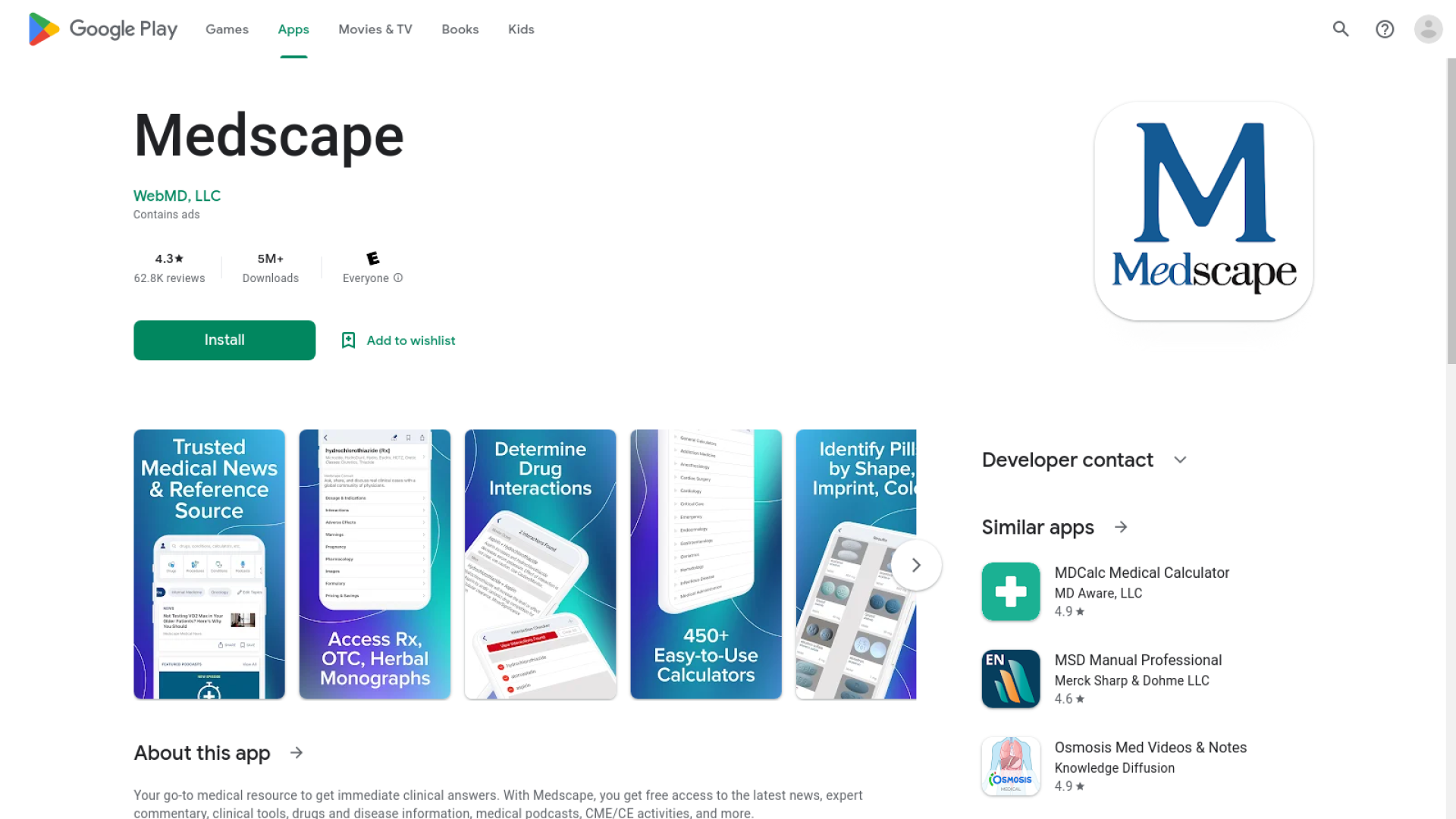
For iOS devices (iPhone, iPad): You can download the Medscape app from the Apple App Store by visiting the following link: Download Medscape for iOS
For Android devices: You can download the Medscape app from the Google Play Store by visiting the following link: Download Medscape for Android
By clicking on the respective link, it will redirect you to the appropriate app store page for Medscape. From there, you can download and install the app on your device.
Here are the key details about the Medscape app:
Medical News and Updates: Medscape delivers timely medical news from various specialty areas, including breaking news, journal articles, conference coverage, and expert perspectives. The app keeps healthcare professionals up to date with the latest research, clinical developments, and healthcare industry news.
Drug Reference and Interaction Checker: The app provides a comprehensive drug reference database with detailed information on medications, including dosing, indications, contraindications, adverse effects, and drug interactions. Healthcare professionals can use the interaction checker feature to quickly identify potential drug-drug, drug-allergy, or drug-food interactions.
Clinical Reference Tools: Medscape offers a range of clinical reference tools, such as medical calculators, clinical guidelines, and disease reference materials. These tools assist healthcare professionals in making evidence-based decisions and provide quick access to essential clinical information.
CME Courses and Education: Medscape offers a wide selection of CME courses, allowing healthcare professionals to earn credits and stay current with their medical education requirements. The app provides CME activities across various medical specialties and formats, including articles, videos, and interactive modules.
Medical Community and Discussion Forums: Medscape features a community platform that allows healthcare professionals to connect, collaborate, and discuss clinical cases and medical topics. Users can participate in discussion forums, seek advice from peers, and share insights and experiences.
Personalized Content and Specialties: Medscape allows users to personalize their app experience based on their medical specialties and areas of interest. By selecting their specialty, users can receive tailored news, resources, and CME recommendations relevant to their practice.
Platform Compatibility: The Medscape app is available on both iOS and Android devices. It is designed to provide a seamless user experience on smartphones and tablets, ensuring easy access to medical information and resources on the go.
Figure 1:
Figure 1 is a medical app that allows healthcare professionals to share and discuss clinical images and cases. It serves as a platform for learning and collaboration among medical professionals worldwide. The app enables users to explore a vast library of medical images, participate in discussions, and receive expert opinions on various cases.
For iOS devices (iPhone, iPad): You can download the Figure 1 app from the Apple App Store by visiting the following link: Download Figure 1 for iOS
For Android devices: You can download the Figure 1 app from the Google Play Store by visiting the following link: Download Figure 1 for Android
By clicking on the respective link, it will redirect you to the appropriate app store page for Figure 1. From there, you can download and install the app on your device.
Here are the key details about the Figure 1 app:
Image Sharing and Case Discussions: Figure 1 allows healthcare professionals to upload and share clinical images securely within the app. Users can capture and upload images directly from their devices or import images from other sources. These images can include medical conditions, radiological scans, pathology slides, and more.
Anonymity and Privacy: To protect patient privacy and confidentiality, Figure 1 ensures that all images and patient information shared on the platform are de-identified and anonymized. This allows healthcare professionals to share cases while maintaining patient confidentiality and adhering to privacy regulations.
Community and Collaboration: The app fosters a community environment where healthcare professionals can connect, discuss cases, and learn from one another. Users can comment on images, ask questions, share insights, and engage in conversations related to specific cases or medical topics. This collaborative approach enables healthcare professionals worldwide to learn from a diverse range of cases and perspectives.
Medical Education and Learning Resources: Figure 1 serves as a valuable resource for medical education. Users can explore a vast library of clinical images and access educational content associated with each case. The app provides an opportunity for healthcare professionals to enhance their knowledge, deepen their understanding of various conditions, and stay updated with advancements in different medical specialties.
Expert Opinions and Second Opinions: Within the app, healthcare professionals can seek expert opinions or request second opinions on specific cases. This feature allows users to tap into the collective expertise of the Figure 1 community and receive valuable insights and recommendations.
Specialty Filters and Categories: Figure 1 allows users to filter content based on their medical specialties and areas of interest. This ensures that healthcare professionals can access relevant cases and discussions in their specific fields of practice.
Continuing Medical Education (CME): The app offers opportunities for healthcare professionals to earn CME credits. Users can complete educational modules, quizzes, and case-based learning activities to fulfill their ongoing medical education requirements.
Platform Compatibility: Figure 1 is available as a mobile app for iOS and Android devices. It is designed to provide a user-friendly experience on smartphones and tablets, making it easy for healthcare professionals to access and engage with the platform.
Ada:
Ada is an AI-powered symptom checker app that helps users evaluate their symptoms and provide potential diagnoses. It uses a questionnaire-based approach to gather information and generate personalized health assessments. Ada aims to provide users with reliable information and encourage them to seek appropriate medical care based on their symptoms.
For iOS devices (iPhone, iPad): You can download the Ada app from the Apple App Store by visiting the following link: Download Ada for iOS
For Android devices: You can download the Ada app from the Google Play Store by visiting the following link: Download Ada for Android
By clicking on the respective link, it will redirect you to the appropriate app store page for Ada. From there, you can download and install the app on your device.
Here are the key details about the Ada app:
Symptom Evaluation: Ada uses artificial intelligence algorithms to analyze the symptoms provided by users through a questionnaire-based approach. The app asks a series of questions to gather information about the user's symptoms, medical history, and other relevant factors. It takes into account various symptoms, their severity, duration, and associated factors to generate a personalized health assessment.
Personalized Health Assessments: Based on the user's input, Ada generates potential diagnoses and health assessments. The app provides a list of possible conditions or causes that could be associated with the reported symptoms. The assessments are generated using a combination of AI algorithms, medical knowledge databases, and user-specific inputs.
Medical Information and Insights: Ada offers detailed information about the potential diagnoses and conditions it generates. Users can access descriptions, causes, risk factors, and common treatments associated with each suggested condition. The app provides medical insights to help users understand their health conditions better.
Red Flag Identification: Ada is designed to identify "red flag" symptoms or signs that may indicate a more serious underlying condition or require immediate medical attention. If the app detects such symptoms during the assessment, it advises users to seek urgent medical care and not solely rely on the app's recommendations.
Health Tracking and Monitoring: Ada allows users to track their symptoms and health conditions over time. It provides a platform for users to log their symptoms, record medication intake, monitor progress, and track changes in their health status. This feature enables users to have a comprehensive view of their health and share relevant information with healthcare professionals if needed.
Integration with Healthcare Providers: Ada offers integration with some healthcare providers and electronic health record (EHR) systems. This integration allows users to securely share their health assessments, symptom history, and other relevant information with their healthcare providers, fostering better communication and informed decision-making during medical consultations.
Platform Compatibility: Ada is available as a mobile app for both iOS and Android devices. It provides a user-friendly interface optimized for smartphones and tablets, allowing users to access the app conveniently.
MyChart:
MyChart is a popular app used by patients to access their electronic health records (EHRs) and communicate with their healthcare providers. It allows users to view test results, request prescription refills, schedule appointments, and securely message their healthcare team. MyChart enhances patient engagement and empowers individuals to take an active role in managing their healthcare.
For iOS devices (iPhone, iPad): You can download the MyChart app from the Apple App Store by visiting the following link: Download MyChart for iOS
For Android devices: You can download the MyChart app from the Google Play Store by visiting the following link: Download MyChart for Android
By clicking on the respective link, it will redirect you to the appropriate app store page for MyChart. From there, you can download and install the app on your device.
Here are the key details about the MyChart app:
Electronic Health Records (EHR) Access: MyChart provides patients with a convenient and secure way to access their electronic health records. Users can view their medical history, lab results, medications, immunizations, allergies, and other relevant health information. Having access to this data allows patients to stay informed and actively participate in their healthcare decision-making.
Appointment Management: The app allows users to schedule, reschedule, or cancel appointments with their healthcare providers. Patients can view available appointment slots, check-in online, receive appointment reminders, and access directions to the healthcare facility, making it easier to manage their healthcare appointments.
Secure Messaging: MyChart enables secure communication between patients and their healthcare providers. Users can send and receive messages to discuss non-urgent medical concerns, request prescription refills, seek clarifications about test results, and receive general healthcare guidance. This feature facilitates convenient and direct communication, eliminating the need for phone calls or in-person visits for certain inquiries.
Prescription Management: Patients can use MyChart to request prescription refills, view their current medications, and access information about prescribed dosages, instructions, and refills. The app may also provide notifications and reminders to help patients adhere to their prescribed medication regimen.
Test Results: MyChart allows users to view and track their laboratory and diagnostic test results. Patients can access detailed reports, interpret the results, and monitor any changes over time. The app often provides explanations or educational materials related to the test results to help patients understand their health status better.
Health Reminders: The app offers health reminder features to help patients stay proactive in managing their health. Users can receive notifications and reminders for preventive screenings, immunizations, medication adherence, and upcoming appointments. These reminders can promote better health management and preventive care.
Integration with Health Devices and Apps: Some versions of MyChart may integrate with health tracking devices or other health apps. This integration allows patients to sync data from devices like fitness trackers or blood pressure monitors, providing a more comprehensive overview of their health and enabling healthcare providers to access additional data for better care coordination.
Platform Compatibility: MyChart is available as a mobile app for both iOS and Android devices. It is designed to be user-friendly and optimized for smartphones and tablets, making it convenient for patients to access their health information on the go.
Please note that the popularity and availability of medical apps may vary over time, and there may be newer apps available since my knowledge cutoff in 2021. It is advisable to research and review the latest apps based on current user reviews and recommendations.
These top 5 medical apps offer valuable tools, resources, and connectivity to enhance healthcare delivery, patient engagement, and medical education. Whether you're a healthcare professional seeking clinical references or a patient looking to manage your health, these apps are transforming the way we approach healthcare in the digital age. Download these apps today to experience the convenience, efficiency, and empowerment they bring to the world of medicine.
